AIRCAI READINESS CENTERSCHRISTOPHER LAFAYETTEPlan a center

AI READINESS CENTER ADVISORY / APPROVED ACCESS. EQUIPPED TO BUILD.

Serious machines.
Practical capability.

A dedicated place for approved participants to sit down, operate capable equipment, and build with AI.

Professionals. Community builders. Young people. Older adults. Equipped workstations, guided access, and practical work.

See the facility concepts
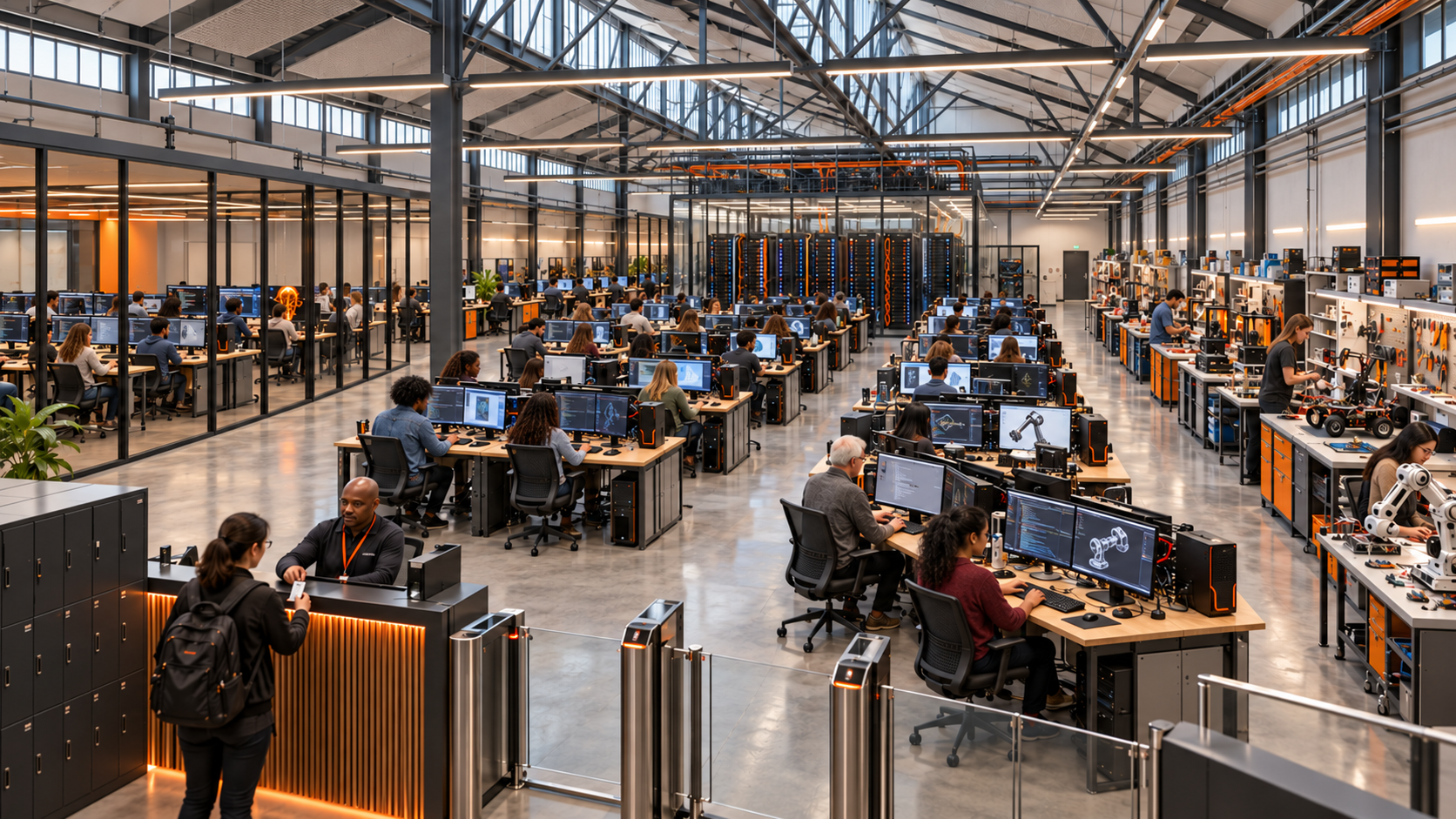
View through the staffed entry of an AI build hall, with the foreground reception interaction, individual computer workstations and a diverse community working throughout the facility.
CONTROLLED ARRIVAL / AN ACTIVE COMPUTING FLOORProposed architectural concept · Equipment-first facility
Approved accessApplication, review, induction, and booking.
A machine at every work seatWorkstations matched to the participant’s task.
Evidence of practical workBuild, test, review, save, and return.

01 / THE PHYSICAL MODEL

Computing is the center
of the facility.

The architecture begins with the working seat: a proper computer, displays, input devices, reliable power, and room to work. Repeated build bays make the center’s activity visible from the moment someone enters.

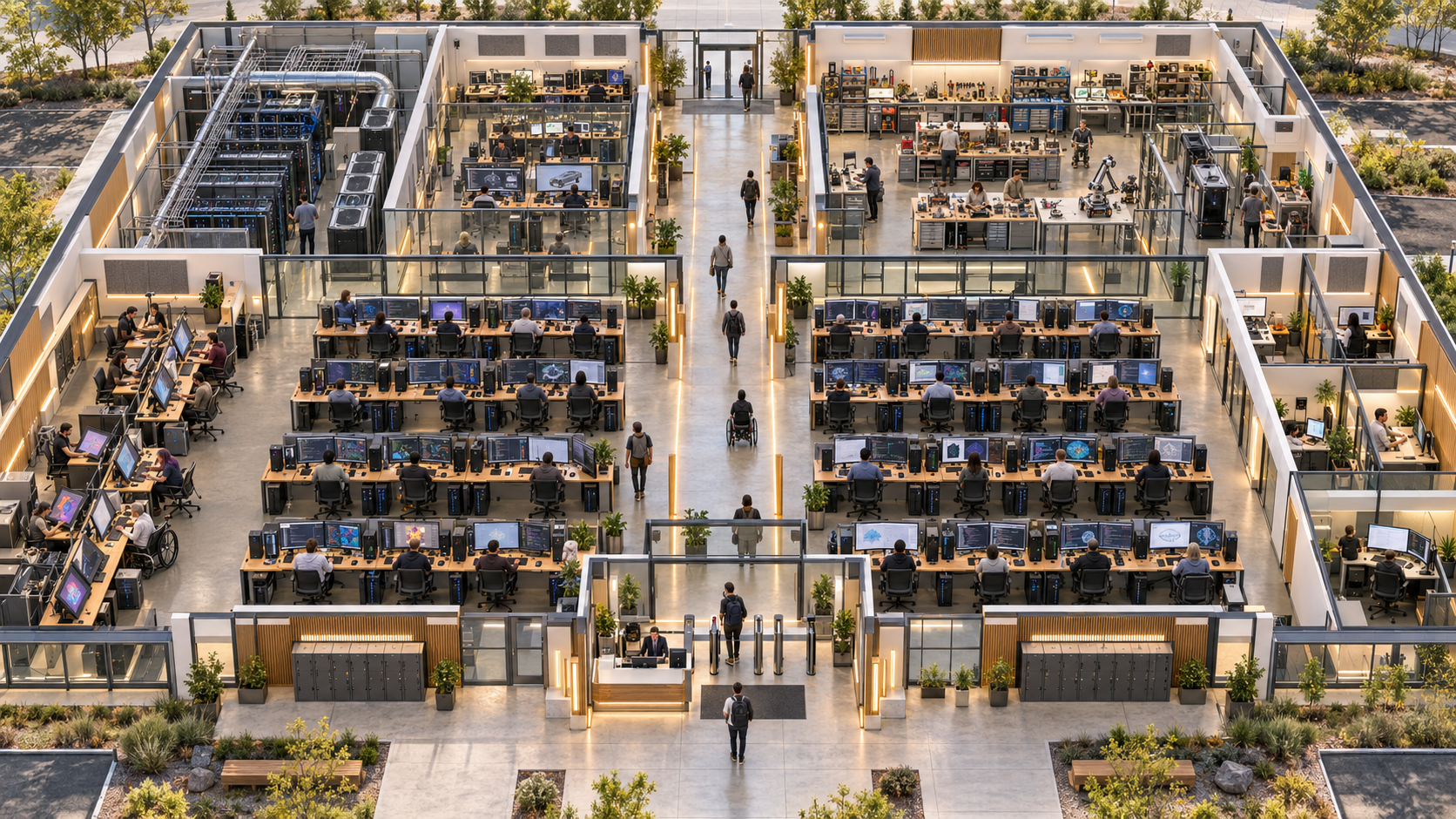
Elevated cutaway of the civic AI build lab with a central aisle, individual workstation rows and specialist technical bays.
CONCEPT A

The civic build lab

A dedicated reference facility with a substantial computing floor, specialist bays, approved entry, and staff support. Suitable for discussion with city, regional, education, and institutional partners.

  • Centralized reception separates public arrival from the approved work floor.
  • Individual desktop stations occupy the main participant areas.
  • Specialist compute, coding, media, and device work have defined locations.
  • Clear aisles connect workstations with support, facilities, and exits.
CONCEPT B

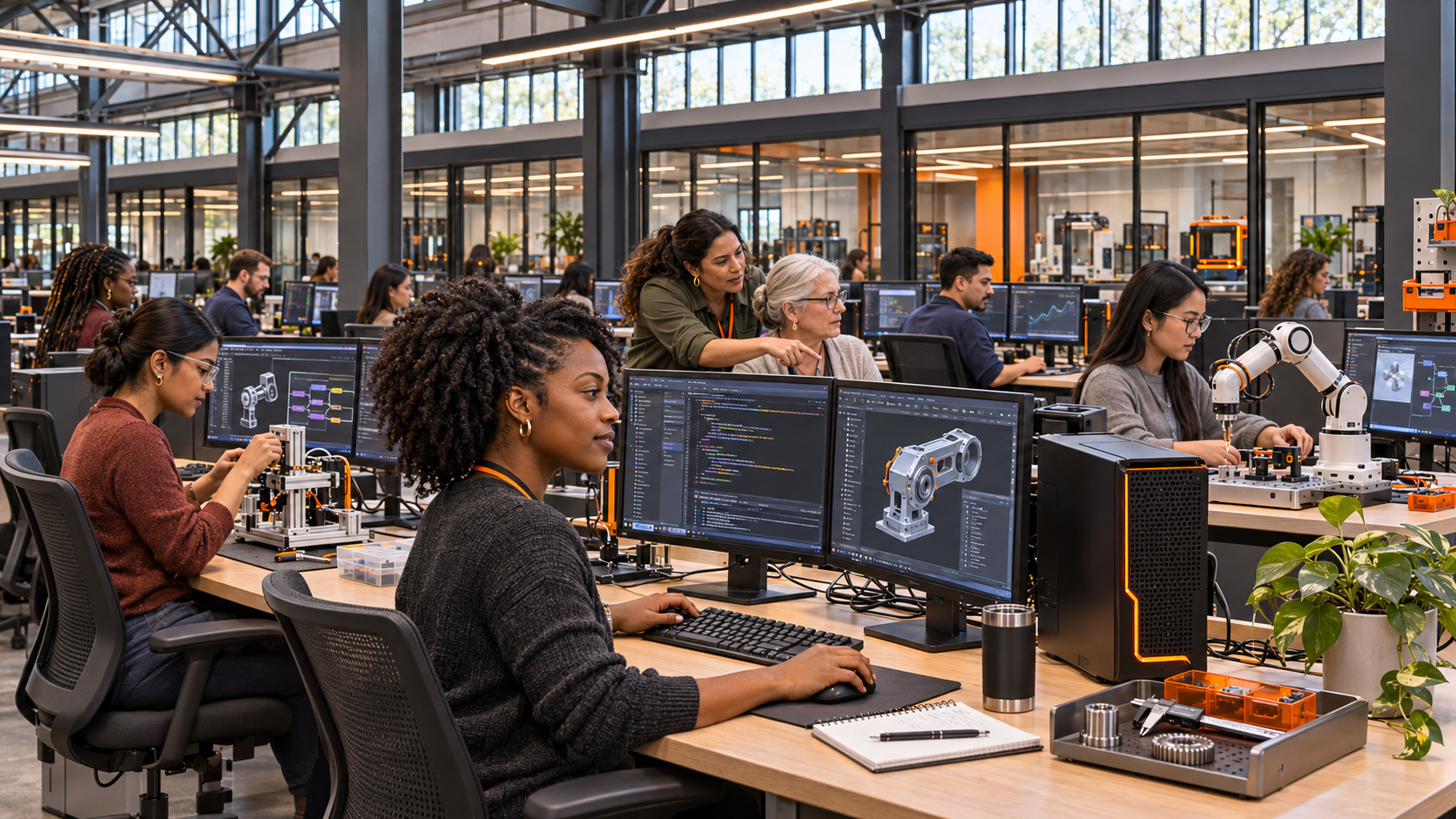
The converted industrial build hall

Eye-level view inside the industrial AI lab, with women from varied backgrounds building at individual workstations and receiving support beside their machines.
Inside the industrial build hall · Practical work, capable machines, support at the workstation

The setting. A former light-industrial or commercial space becomes a supervised building environment. The large floor plate supports repeated workstation rows and clear circulation.

The work. Participants code, test agents, inspect outputs, and use approved technical equipment. Instructors circulate between machines and specialist bays.

What local planning resolves. Electrical service, ventilation, connectivity, acoustics, access, staffing, and the cost of conversion.

CONCEPT C

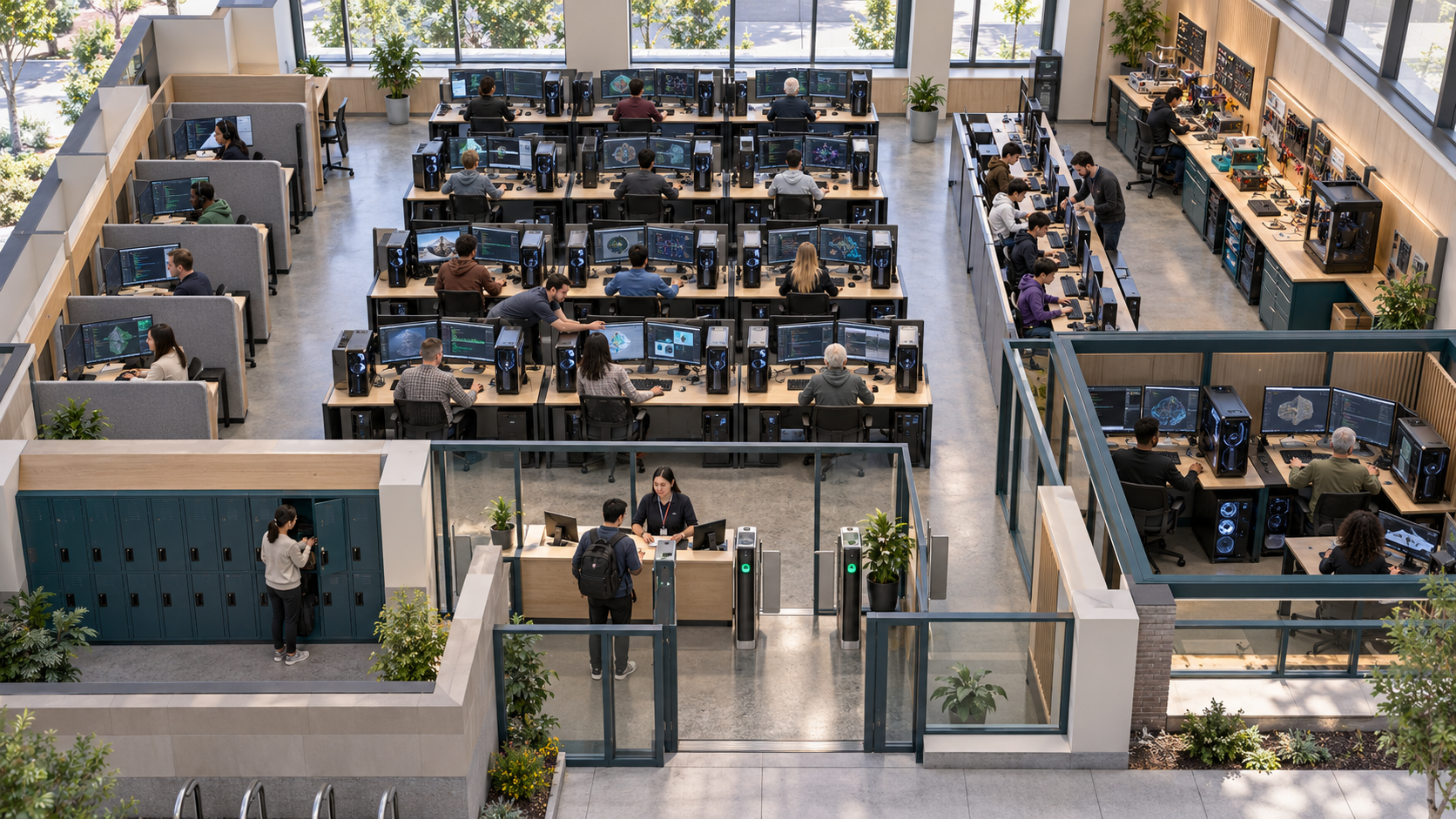
The neighborhood access lab

Compact AI readiness laboratory concept with fully equipped individual computer stations, guided learning positions and controlled check-in.
Community or campus concept · The same standard of equipment in a smaller footprint

The setting. An existing library, college, community facility, or partner building hosts a compact center with individually equipped seats and supervised access.

The work. Foundational practice, professional projects, youth cohorts, and older-adult participation use the same standard of capable equipment.

What local planning resolves. The mix of stations, specialist capacity, staff coverage, operating hours, and how advanced projects access additional computing resources.

These are three alternative architectural concepts, not photographs of existing centers or one finalized building. Equipment quantities, room dimensions, costs, and occupancy are established during local feasibility and design.

THE FUTURE WE NEED TODAY

The future of business
needs a place to build.
Today.

Give people a capable machine, experienced guidance, and time to work on a real problem. That is how an AI Readiness Center turns learning into practical capability.

Step inside the working floor

01 / INSIDE THE CENTER

Six places to work.
Something real to build.

Every area starts with an equipped seat. Each supports a different kind of practical work, with help available at the machine.

01

Advanced AI Workstations

Work with AI.

A dedicated computer, large displays, and guidance beside you. Put AI to work on research, documents, data, and creative projects.

A useful result you can demonstrate.

Equipment & work details

At the workstation

Desktop computers matched to the programs; large displays; keyboards and pointing devices; headsets; accessible peripherals; managed connectivity and power.

The work

Research, data work, documents, multimodal tasks, media production, and practical tool use.

What leaves the lab

A completed task, reviewed result, and saved work record.

02

Software Build Bays

Build the tool.

Turn an idea into an app, website, dashboard, or automation. Develop at a full workstation, then test what you have built.

A prototype with a clear next step.

Equipment & work details

At the workstation

Development workstations; multiple displays where appropriate; device testing sets; shared review screens; controlled project environments.

The work

Websites, apps, dashboards, automations, business tools, and prototypes.

What leaves the lab

A working prototype, test notes, and a list of remaining release requirements.

03

Agent Workflow Lab

Make the workflow work.

Connect tasks into a working process. Test the failures, inspect the results, and decide where a person must review or approve.

A tested process with review checkpoints.

Equipment & work details

At the workstation

Individual workflow development stations; approved test accounts; sample data; shared workflow displays; logging and evaluation tools.

The work

Research agents, customer support drafts, reporting flows, content production, and business processes.

What leaves the lab

A tested workflow with review checkpoints, failure cases, and operating notes.

04

Career Translation Stations

Make experience count.

Bring your existing skills to the machine. Build a work sample, update your portfolio, and connect the result to your next professional step.

Evidence of what you can do.

Equipment & work details

At the workstation

Participant computers; advisor display access; portfolio tools; document creation software; quiet advising positions.

The work

Skills mapping, portfolio updates, project demonstrations, professional materials, and referral preparation.

What leaves the lab

A reviewed work sample, skills map, and a practical next-step plan.

05

Entrepreneurship Build Studio

Build for your business.

Work on a real operating challenge with an advisor beside you. Develop a customer workflow, internal tool, or early product test.

A business tool and an adoption plan.

Equipment & work details

At the workstation

Full desktop workstations; presentation displays; product test devices; approved business tools; sample business information.

The work

Customer service workflows, sales material, research, operating tools, early product tests, and service prototypes.

What leaves the lab

A business tool or workflow test with a documented adoption plan.

06

Frontier Lab & Compute Bays

Test what comes next.

Use supervised specialist equipment for advanced experiments, model evaluation, and device testing. Computing resources follow the project requirements.

An experiment you can evaluate and explain.

Equipment & work details

At the workstation

Higher-performance compute workstations where justified; approved local or cloud model access; evaluation datasets; test devices; secure equipment racks and technical support.

The work

Tool comparisons, model evaluation, multimodal experiments, device integration, and small applied-lab development.

What leaves the lab

An experiment record, measured observations, and a recommendation supported by the test.

02 / FROM THE DOOR TO THE DESK

Expected at the door.
Ready at the machine.

Participation begins before arrival. The center knows who is coming, what they intend to work on, and which station they need.

01

BEFORE YOU ARRIVE

Apply. Get approved. Book.

Share your goals and support needs. The operator confirms your pathway, arranges induction, and reserves a suitable workstation.

02

AT THE ENTRANCE

One clear point of entry.

Reception checks your approval and booking. You pass the staffed access point and follow a clear route to your assigned machine.

03

ON THE WORKING FLOOR

Sit down. Build. Get help.

Adjust your station, sign in, and start your project. A guide supports the work beside you. Specialist equipment follows the relevant induction.

04

BEFORE YOU LEAVE

Take the work forward.

Review the result, save your project, sign out, and return shared equipment. Check out with a clear next step or another session booked.

See the complete 10-step access process
  1. Apply

    Individuals or partner organizations submit their intended use, learning or project goals, current experience, scheduling needs, and requested accommodations. Each applicant identifies the program or type of work they want to pursue.

    Result: An application for operator review.

  2. Review

    The operator reviews program fit, available capacity, support needs, and any prerequisites for specialist equipment. Foundational pathways can serve beginners without assuming that all participants arrive with technical experience.

    Result: A documented decision and suitable program route.

  3. Approve

    Approved participants receive their access conditions, available program options, and instructions for induction. Approval identifies the areas and sessions they may use.

    Result: An approved participant record with defined access.

  4. Complete induction

    Explain the facility, equipment use, acceptable conduct, account handling, how to request help, and session closeout. Specialist bays require the relevant instruction before use.

    Result: Readiness to book the appropriate workstation or supervised session.

  5. Book a session

    Reserve a program, work period, instructor appointment, or specialist bay. Allocate a compatible workstation and any requested accessibility support before arrival.

    Result: A confirmed session with a suitable machine.

  6. Check in

    Staff confirm the approved participant record and booking. An access credential or staffed check-in permits entry to the assigned work area. Visitors follow a separate hosted route.

    Result: Authorized entry and a clear station assignment.

  7. Settle at the machine

    Adjust the chair, desk, display, and input devices. Sign in to the approved work environment. Confirm the project brief, required tools, and where work will be saved.

    Result: An equipped participant ready to work.

  8. Build and test

    Work on a practical task, application, automation, agent, prototype, or evaluation. Instructors provide assistance at the station and guide review of outputs, errors, and next steps.

    Result: A work product with documented tests and remaining issues.

  9. Review the result

    Demonstrate the work to a guide or project reviewer. Record what functions, what needs revision, and how the output connects to the participant's job, business, learning, or community project.

    Result: Reviewed evidence of practical work.

  10. Save, sign out, depart

    Save or export approved work, sign out of accounts, return shared devices, and confirm the next session. Staff close the booking and prepare the workstation for the next participant.

    Result: Work retained by the participant and a station ready for reuse.
How arrival, circulation & exits connect

Arrival zone. A centralized entrance leads to reception, orientation, and bag storage. Public arrival ends at the staffed access checkpoint.

Working floor. A clear central aisle connects the main computing hall and specialist bays. Cross-aisles reach individual work rows, staff support, and accessible facilities.

Departure. Everyday departure passes through check-out. Alternative exit locations and emergency routes are established for the selected building.

This is a proposed circulation model. Final dimensions, accessible routes, occupancy, doors, fire protection, and emergency egress require site-specific design.

Approval matches people with the right program, capacity, and support. Foundational pathways can welcome beginners. This showcase does not collect applications.

03 / THE INFRASTRUCTURE BEHIND THE WORK

A real workstation.
A supported session.

Equipment, connectivity, and people operate together. The participant arrives to work, with the tools and assistance the session requires.

Your own working position.

A capable computer. Readable displays. Proper input devices. An adjustable place to sit and focus.

More capability when needed.

Development machines, test devices, and specialist compute matched to the programs being delivered.

People who keep you moving.

Instructors at the machine, technical support on the floor, and advisors who help connect the work to its next use.

Explore the hardware & operating requirements

Standard work seat

Capable desktop, large or dual displays, keyboard, pointing device, headset, and adjustable furniture.

In operation: Match every booking to a suitable machine and confirm access needs before arrival.

Software development

Development environments, AI coding tools, version control, isolated projects, and test phones or tablets.

In operation: Keep projects recoverable and provide a guided test and review process.

Advanced computing

Higher-performance machines and suitable memory or GPU capacity where justified, with approved local or cloud model access.

In operation: Match specifications to workload, power, cooling, licensing, maintenance, and recurring costs.

Technical making

Program-specific devices, electronics benches, integration test equipment, and controlled storage.

In operation: Use relevant equipment induction and technical supervision.

Shared infrastructure

Managed network, reliable connectivity, appropriate accounts, device reset, backup, and export arrangements.

In operation: Assign responsibility for sign-in, saved work, sign-out, and maintenance.

People & support

A center operator, instructors, floor guides, technical support, and career or business advisors.

In operation: Plan coverage around open hours, participant needs, and specialist access.

A day in operation

Before opening: prepare

Check machines, accounts, reservations, approved access, example materials, instructor coverage, and requested accommodations.

During sessions: support

Check participants in, allocate stations, guide work, supervise specialist bays, and record technical issues or project milestones.

Between sessions: reset

Confirm project export, sign-out, device returns, and the next booking. Prepare each station for the next participant.

04 / A COMMUNITY THAT BUILDS

Different generations.
Shared access to
what comes next.

Professionals bring a business challenge. Young people develop their first projects. Older adults build new capability from years of experience.

The equipment stays capable. The guidance, pace, and support meet the person.

How participation supports different needs

Professionals and community builders

Reserve productive work periods, develop a project, and return to continue work. Provide specialist support and appropriate review without turning every visit into a lecture.

Young people

Provide the same quality of workstation within age-appropriate guided cohorts. Local operators define admission, supervision, and guardian arrangements for minors.

Older adults

Offer comfortable adjustable stations, readable displays, flexible learning pace, and patient technical assistance. Support participation without treating age as a proxy for capability.

Participants with access needs

Plan adjustable desks, usable reach ranges, accessible input options, clear routes, and quiet support. Confirm requested accommodations before the booked session.

Explore the six applied training tracks

AI Career Transition

Develop a work sample and connect it with prior professional experience.

Small Business AI Operations

Build a bounded business workflow and review it before adoption.

Vibe Coding & Product Build

Develop an application, website, dashboard, or automation at a full development station.

Frontier Lab Development

Run documented experiments and learn how to establish an internal applied lab.

Women in AI Pathways

Dedicated applied sessions for women professionals, founders, educators, and builders.

Public Sector Readiness

Evaluate a defined public-service task using approved examples and human review.

05 / AI READINESS CENTER ADVISORY

Bring the center
to your community.

Turn the concept into a local implementation plan. Christopher Lafayette helps leaders connect the facility, hardware, programs, partnerships, and people needed to operate it.

A CLEAR FIRST ENGAGEMENT

Start with the
Center Feasibility Brief.

Give your leadership team a written basis for the next decision: who the center serves, what it needs, who runs it, and how to prepare.

Who it serves.Participants, local demand, useful projects, and initial programs.

Where it works.Facility options, equipped seats, specialist bays, and access.

What it takes.People, hardware, partner contributions, and operating costs.

The six parts of your feasibility brief

Participant & program brief

Who the center will serve, the work they need to do, initial training tracks, and the support each group requires.

Site & facility requirements

A preferred facility format, a workstation and circulation brief, and requirements for power, cooling, connectivity, accessibility, and support space.

Hardware & technology plan

Workstation categories, specialist computing needs, software access, account handling, maintenance, and equipment renewal assumptions.

Operator & staffing plan

Responsibilities for admissions, instructors, technical support, bookings, daily operation, and project review.

Startup & recurring cost framework

Budget categories and planning ranges for fit-out, equipment, staffing, connectivity, software, maintenance, and replacement. Assumptions and open questions stay visible.

Partner & implementation roadmap

Potential local contributions, decisions to secure, dependencies, and a phased route from planning to opening.

Discuss a feasibility brief

Scope, fee, and schedule are agreed before work begins.

Support beyond the feasibility brief

Local feasibility & site brief

Define the participant community, operating partner, intended work, site requirements, and available resources.

Facility & hardware program

Map workstations, specialist bays, power, network, compute, storage, technical support, and accessible routes.

Admissions & participant experience

Set application criteria, approval responsibilities, induction, booking, support, and closeout.

Training & instructor development

Develop applied tracks, project briefs, instructor guides, equipment induction, and review standards.

Partners, funding & launch preparation

Prepare the partner package, contribution requests, equipment categories, budget ranges, staff roles, and deployment sequence.

Evaluation & replication

Define participation and work-product measures. Document operator learning and how the model adapts to another location.

The first 90 days of planning

DAYS 01–30

Define the local brief

Identify participants, an operator, partners, potential sites, equipment needs, training tracks, and the feasibility scope.

DAYS 31–60

Develop the operating model

Examine site options, staffing, admissions, technology access, partner contributions, and budget questions.

DAYS 61–90

Prepare implementation

Develop cost ranges, the operating calendar, evaluation measures, partner commitments, and the deployment sequence.

This is a planning sequence, not a promised opening date. Funding, site readiness, procurement, staffing, and local approvals determine timing.

BEFORE YOU BEGIN

Practical questions.
Clear answers.

Who operates the center?

A named local operator manages the facility, staff, participant access, equipment, and daily schedule. That may be a public institution, education provider, business, nonprofit, or a partnership with one accountable operator. Advisory helps define those responsibilities before launch.

Do we need a new building?

An existing college, library, commercial property, or industrial space may work. The first study examines usable space, power, cooling, connectivity, accessible routes, and the cost of conversion. The starting footprint follows local demand and the operating budget.

What will it cost, and how long will it take?

Cost and timing depend on the site, program, equipment, staffing, funding, and procurement. The Center Feasibility Brief separates startup costs from recurring operations and documents the assumptions behind the estimates. Advisory scope, fee, and schedule are agreed before work begins. The 90-day sequence on this page describes planning.

Who can participate?

The proposed model includes professionals, small-business teams, young people, and older adults. Each operator sets application and approval criteria, supported entry pathways, workstation booking, and any specialist prerequisites. Youth participation includes age-appropriate supervision and permissions.

What is the first step?

Email Christopher with your organization, location, intended participants, and current planning stage. The opening conversation identifies the question to resolve and the scope of a possible Center Feasibility Brief. You can begin while you are still exploring a site or local partners.

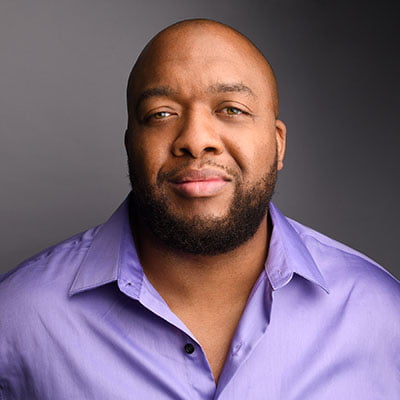
Christopher Lafayette, emergent technologist and founder of GatherVerse.

THE PERSON BEHIND THE WORK

Christopher Lafayette

Emergent technologist. Educator. Global speaker.

Based in Silicon Valley and working internationally, Christopher connects applied AI, education, and the practical work of building platforms. He founded GatherVerse and leads Lafayette Global Launchpad, taking projects from architecture through launch.

AI Readiness Center Advisory brings that work into a physical setting: capable equipment, accessible learning, and a practical operating plan for local teams.

PLAN A CENTER / CONTACT CHRISTOPHER

Give people the tools.
Give them a place.
Let them build.

Exploring a center for your city, campus, company, or community? Tell Christopher where you are, who you want to serve, and how far along you are.

Back to the opening